 Skip to content

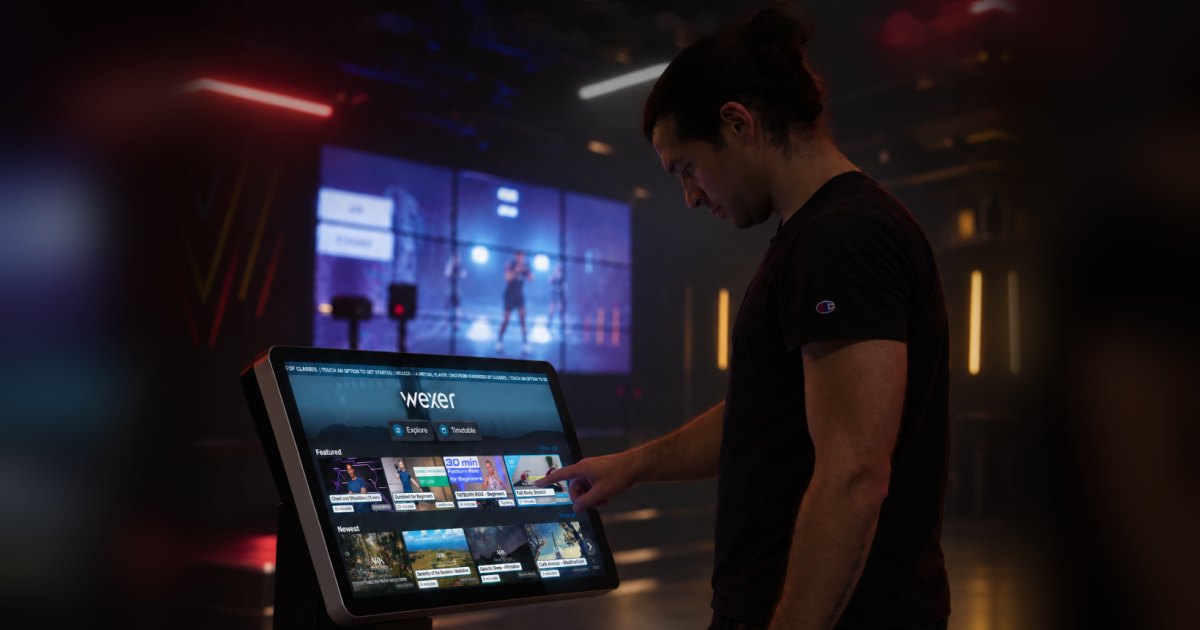
If you have or are interested in having an On Demand Virtual Player in one of your gyms, this one’s for you!
Quick refresher, our On Demand Virtual Player acts as a digital instructor, allowing operators to deliver professionally produced fitness classes without requiring a live instructor for every session. It consists of a touchscreen connected to a larger screen or projector, delivering fitness content across different spaces and modalities. Classes can be scheduled or selected on demand.
Now on to the update – we’ve rolled out a redesigned interface for the Virtual Player.
The goal was simple: make it easier for members to notice the screen, find a class and press play. The classes themselves haven’t changed: same content, same instructors. What’s new is everything around them.
Here’s what changed, and the thinking behind it.
Made to be noticed
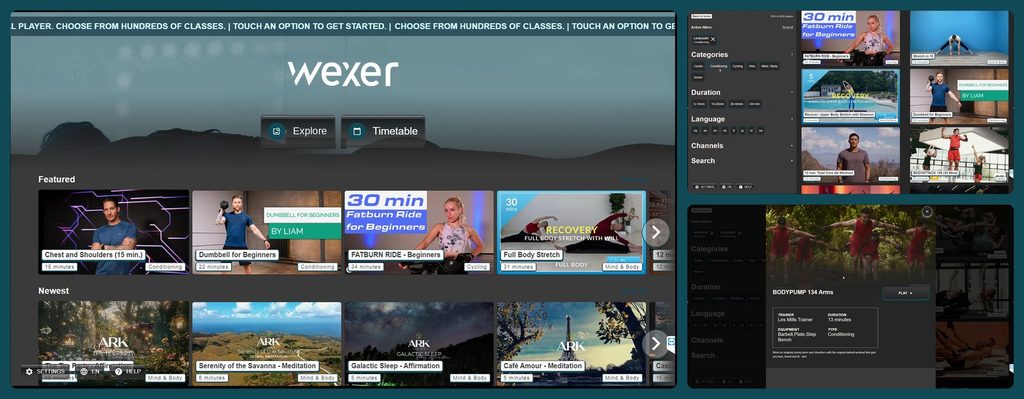
An on-demand screen competes with everything else on the gym floor. We refreshed the design with bolder imagery, clearer type and more colour, so the player stands out to members walking past. Even when nobody is using it, the start screen shows a wall of classes and a clear prompt to tap and begin.
Our reasoning: a screen people notice is a screen people use. More members stopping by should mean more sessions started.
Your logo, your colours
You can now update the logo, accent colour and header background yourself in the admin, along with the two ticker messages at the top of the screen.
That makes it easy to adapt a player to where it’s used, for example a calmer look in a yoga studio, while your brand stays consistent across locations. Running a chain? You decide whether individual clubs can adjust their own layout, or whether one look applies everywhere.
Scan, pick, play
Every thumbnail now shows the same key details in the same place: duration, category and class number. Members can compare classes without opening each one. It also helps from a few steps away, which is how most people first see the screen.
And because every class follows the same layout, whichever content provider it comes from, our expansive library looks like one collection – yours, in your colours.
More to see, faster to find
The homepage now shows more classes per row, grouped into rows like Newest and Most popular, so members see more options before they scroll.
We also rebuilt the Explore page. Members can filter by category, duration, language and channel, or search for a class by name. Filters can be combined, so a short English-language Mind & Body class is only a couple of taps away.
Here’s a little preview – contact us if you want to see more!
What’s next: the admin
The player is what members see. But behind every screen is a team keeping schedules up to date and players running, often across several sites.
That’s where we’re heading next: a revamped Wexer Admin portal. The goal is the same as with the player. Make the everyday tasks quicker and clearer, so managing schedules and players across all your locations takes less time and fewer clicks.
We’ll share more as it gets closer. If there’s something you’d love to see in the new admin, now is a great time to tell us.
Available now
The new Virtual Player is live now. If you’d like a walkthrough or help setting up your branding, contact your account manager and we’ll set up a session. And once your members have had a go, we’d love to hear what they think.